Category: Guides

  • Techniques for Managing Daily Screen Time

    Techniques for Managing Daily Screen Time

    I was halfway through stripping the old lacquer off a 1962 teak sideboard last Tuesday when I realized my phone had vibrated against the workbench six times in ten minutes. I hadn’t even checked it, yet the phantom itch to reach for that glowing rectangle was so strong it actually distracted me from the tactile reality of the wood grain. We’ve been sold this lie that screen time management requires a suite of expensive, high-tech productivity apps or some monastic vow of digital silence. Honestly? Most of those “solutions” are just more digital noise designed to keep you tethered to the very devices you’re trying to escape.

    I’m not here to preach about “digital detoxes” or sell you on a new way to gamify your focus. Instead, I want to talk about reclaiming your agency through practical, grounded boundaries that actually fit into a messy, real-world life. I’ll be sharing the unfiltered, no-nonsense strategies I’ve developed to stop my devices from dictating my attention. We aren’t going to delete the internet; we’re just going to make sure it stops getting in the way of the things that actually matter.

    Table of Contents

    The Cognitive Effects of Excessive Screen Time on Our Humanity

    The Cognitive Effects of Excessive Screen Time on Our Humanity.

    We like to think of our devices as mere tools, but there’s a subtle, creeping cost to how they rewire our brains. When we spend hours spiraling through endless feeds, we aren’t just “relaxing”; we are training our minds to crave constant, shallow stimulation. This fragmentation of attention is one of the most insidious cognitive effects of excessive screen time. I’ve noticed it in my own life—that restless, itchy feeling when I try to sit with a single book for twenty minutes without checking a notification. We are losing the ability to engage in deep, sustained thought, replacing it with a frantic sort of mental multitasking that leaves us feeling perpetually drained.

    It isn’t just about being distracted, either; it’s about how our internal rhythm shifts. The constant barrage of information keeps our nervous systems in a state of low-grade hyper-vigilance. We’ve traded presence for connectivity, and in the process, we’ve thinned out our capacity for empathy and reflection. True mindful technology use isn’t about deleting every app; it’s about reclaiming the mental space required to actually process our own lives instead of just reacting to the digital noise.

    Breaking the Cycle of Smartphone Addiction Recovery

    Breaking the Cycle of Smartphone Addiction Recovery

    So, how do we actually stop the bleeding? It isn’t about throwing your iPhone into a lake and moving to a cabin in the woods—though, some days, that sounds lovely. It’s about building small, intentional barriers between your impulses and your actions. I’ve found that smartphone addiction recovery starts with the smallest friction points. Try moving your most addictive apps off your home screen or, better yet, deleting them entirely for a week. When you stop seeing that little red notification badge every time you glance down, you realize how much of your mental energy was being hijacked by nothing more than a programmed reflex.

    I also swear by some old-school digital detox techniques that don’t require a complete lifestyle overhaul. For me, it’s the “analog hour.” I keep my phone in a kitchen drawer from 8:00 PM onwards. This isn’t just about reducing blue light exposure to help me sleep; it’s about reclaiming the quiet moments of the evening. If you want to get serious, try using app usage tracking not to shame yourself, but to see the data for what it really is: a map of where your life is leaking away.

    Small Shifts to Reclaim Your Focus

    • Stop treating your phone like a slot machine. Turn off every single non-human notification—if it’s not a real person trying to reach you, you don’t need a buzz in your pocket to tell you about a sale or a social media update.
    • Create “analog sanctuaries” in your home. I’ve started making my dining table and my bedroom strictly device-free zones; it forces me to actually look at the person across from me or, heaven forbid, just sit with my own thoughts for a minute.
    • Use the “out of sight, out of mind” rule. When I’m working or trying to unwind, I put my phone in a drawer or another room entirely. If I have to physically get up to check it, I’m much less likely to fall into a mindless scrolling spiral.
    • Audit your digital landscape with a bit of skepticism. Look at your home screen and ask yourself if those apps are actually serving you, or if they’re just designed to hijack your dopamine. If an app feels more like a chore or a distraction than a tool, delete it.
    • Schedule “intentional boredom.” We’ve become so terrified of a quiet moment that we reach for our screens the second there’s a lull in conversation or a wait at a coffee shop. Practice just being present in the stillness; it’s where your best thinking actually happens.

    Making It Stick: My Three Rules for Digital Sanity

    Prioritize “analog windows” in your day—whether it’s breakfast without a phone or a walk without a podcast—to remind your brain how to exist without constant input.

    Audit your notifications like you’d audit a budget; if an app isn’t serving a specific, intentional purpose, silence it so you can stop reacting to every digital ping.

    Focus on reclaiming your attention rather than just “reducing minutes,” because the goal isn’t to stare at a wall, but to ensure you’re the one choosing where your focus goes.

    The Real Cost of the Scroll

    “We’ve been sold this lie that being ‘constantly connected’ is the same thing as being present, but there’s a massive difference between staying informed and simply losing ourselves to a stream of endless, meaningless noise. True digital discipline isn’t about deprivation; it’s about reclaiming the mental space required to actually think, feel, and live on our own terms.”

    Yvette Marchetti

    Finding Your Way Back

    Finding Your Way Back from digital addiction.

    At the end of the day, managing your screen time isn’t about punishing yourself or living like a hermit in a cabin in the woods. It’s about recognizing that every minute spent in a mindless scroll is a minute stolen from your actual, lived experience. We’ve talked about the cognitive fog that sets in when we overstimulate our brains and the practical steps needed to break the cycle of digital addiction. Whether it’s setting strict boundaries with your notifications or reclaiming your morning routine, the goal is the same: to ensure that technology remains a tool in your hand rather than a leash around your neck. We have to be intentional, or the algorithms will be intentional for us.

    I often find myself sitting at my workbench, sanding down a piece of old teak, and I realize how much I crave that kind of tactile, uninterrupted focus. It’s a reminder that we were never meant to exist solely in the digital ether. True freedom in this modern age isn’t about having the latest gadget; it’s about having the agency to look away. So, I challenge you to put the phone down, step away from the glow, and go find something real to engage with. Your life is happening right now, in the physical world, and it’s far too beautiful to miss because you were too busy watching a screen.

    Frequently Asked Questions

    How do I set boundaries with my digital life without feeling like I'm missing out on important work updates or social connections?

    The trick isn’t a total blackout; it’s about intentionality. I stopped trying to be “on” 24/7 and started using scheduled delivery and “Do Not Disturb” windows. If it’s a true emergency, people will call. For everything else, I batch my notifications. You aren’t missing out on life; you’re just deciding when you’re actually available to participate in it. Control the tool, or the tool will control you.

    Is it actually possible to maintain a productive career in tech while still strictly limiting my screen time?

    It’s the million-dollar question, isn’t it? Honestly, it’s not just possible; it’s necessary for survival. I’ve seen too many brilliant people burn out because they mistook constant connectivity for actual productivity. You can’t build a career on reactive scrolling. The trick is moving from “always on” to “intentionally present.” Use the tools to do the work, then close the laptop. Real professional leverage comes from deep thought, not from being the fastest responder in the Slack thread.

    What are some practical ways to reclaim my focus when my tools—the very things I need for work—are designed to keep me distracted?

    It’s a rigged game, isn’t it? These tools are engineered to hijack your dopamine. To fight back, you have to build friction. Start by turning off every non-human notification—if it’s not a real person reaching out, you don’t need a buzz in your pocket. I also swear by “analog buffers”: keep a physical notebook next to your laptop. When a distracting thought or urge hits, write it down there instead of opening a new tab.

  • Improving Your Mobile Photography Skills

    Improving Your Mobile Photography Skills

    I was in my garage last weekend, sanding down the legs of a 1962 teak sideboard, when I realized I’d spent ten minutes trying to photograph the grain pattern perfectly. I wasn’t looking for a “cinematic masterpiece”; I just wanted to document the progress. But as I scrolled through my camera roll, I saw a dozen shots that looked more like AI-generated hallucinations than reality—over-sharpened, artificially bright, and completely hollow. We’ve been sold this lie that mobile photography is about achieving a professional aesthetic through a series of complex, automated filters, when in reality, the tech is often just stripping the soul out of the moment.

    I’m not here to teach you which $1,200 lens attachment you need or how to master a complicated new editing app that will be obsolete by next Tuesday. Instead, I want to talk about how to use the device in your pocket to actually see the world more clearly. I’m going to share some grounded, practical ways to reclaim your eye from the algorithms, focusing on composition and light rather than digital noise. We’re going to look at how to make your photos feel human again.

    Table of Contents

    Mastering Composition Techniques for Smartphones Without Losing Soul

    Mastering Composition Techniques for Smartphones Without Losing Soul

    We’ve become so accustomed to letting our phones do the heavy lifting that we’ve forgotten how to actually see. It’s easy to tap a button and let an algorithm decide where the focus should land, but there is a profound difference between a mathematically perfect shot and one that actually resonates. When I’m out working on a piece or just walking through the neighborhood, I try to lean into basic composition techniques for smartphones—like the rule of thirds or leading lines—rather than relying on the software to fix my mistakes. It’s about intentionality; you want to guide the viewer’s eye, not just present them with a high-resolution file.

    I also find that people often get bogged down in the technical arms race, obsessing over smartphone sensor technology as if megapixels alone could capture a mood. They aren’t. If you want a photo that feels alive, stop hunting for the perfect filter and start looking for the light. I swear by simple natural light photography tips: find the window, wait for the soft glow of late afternoon, and let the shadows tell the story. Technology should be your silent partner, not the director of the scene.

    Challenging Smartphone Sensor Technology With Natural Light Photography Tip

    Challenging Smartphone Sensor Technology With Natural Light Photography Tip

    We have to be honest about the hardware: even the most expensive flagship device is still just a tiny piece of glass and silicon trying to mimic a professional lens. The reality of smartphone sensor technology is that it struggles when the light isn’t cooperating, often resulting in that muddy, digital grain we’ve all come to loathe. Instead of fighting the limitations of a small sensor, I’ve learned to lean into the sun. My favorite rule of thumb? Seek out the “golden hour,” but don’t just chase the sunset—look for how light interacts with textures.

    When you’re working with indoor spaces, try to position your subject near a window rather than relying on your phone’s flash, which tends to flatten everything out. Using natural light photography tips like side-lighting can add a depth that no software algorithm can fake. If you find yourself in a dim room, resist the urge to immediately crank up the digital zoom; it’s a recipe for a pixelated mess. Instead, move your body closer to the light source. It’s a simple, physical adjustment, but it’s often the difference between a snapshot and a genuine moment captured.

    Beyond the Algorithm: 5 Ways to Keep Your Photos From Looking Like AI Slop

    • Stop leaning on the “Auto” mode; it’s designed for convenience, not character. When you let the software decide the exposure and color balance, you end up with a flat, hyper-processed image that lacks any sense of mood or intention.
    • Learn to lock your focus and exposure manually. There is a profound difference between a photo that is technically “correct” and one that captures the actual atmosphere of a room or the specific warmth of a sunset.
    • Treat your phone like a camera, not a social media portal. This means resisting the urge to apply heavy-handed filters the second you snap the shot. If you need to edit, do it with subtlety—aim to enhance what was actually there, not to mask what wasn’t.
    • Embrace the imperfections of your lens. A bit of lens flare or a slight shadow isn’t a technical failure; it’s a sign that a human was standing in a real place at a real time. Don’t let “perfection” become the enemy of authenticity.
    • Pay attention to the physical geometry of your surroundings. Instead of just pointing and shooting, take a second to consider how the lines of a building or the way a shadow falls across a table can tell a story. The best tool isn’t the sensor; it’s your eye.

    The Human Element in a Digital Frame

    Stop chasing the “perfect” algorithmically-enhanced shot; focus on the intent behind the lens to ensure your photos reflect a memory rather than a preset.

    Use your smartphone as a sophisticated tool for observation, not a crutch for automation, by mastering manual controls and understanding how light actually interacts with the world.

    Prioritize the story over the resolution, remembering that a slightly grainy, imperfect photo with genuine emotion will always outlast a sterile, hyper-processed digital masterpiece.

    The Trap of the Perfect Pixel

    We’ve become so obsessed with the sharpness of the lens and the cleverness of the algorithm that we’ve forgotten how to actually see. A smartphone should be a window, not a filter; if your photo looks perfect but feels hollow, you haven’t captured a moment—you’ve just processed a file.

    Yvette Marchetti

    Beyond the Algorithm

    Intentional photography goes Beyond the Algorithm.

    At the end of the day, we’ve looked at how to fight back against the limitations of a tiny glass lens. We’ve discussed how to lean into composition to create depth and how to dance with natural light rather than letting a software algorithm decide what the shadows should look like. It isn’t about having the most expensive gear or the latest sensor; it’s about intentionality. If you can master the basics of light and structure, you stop being a passive consumer of a smartphone’s automated processing and start becoming a photographer who happens to use a phone. Don’t let the convenience of “AI enhancement” trick you into thinking the work of seeing is already done for you.

    My advice is simple: put the phone down occasionally just to look, then pick it back up to capture something real. Use these tools to document your life, but never let the pursuit of a “perfect” digital file strip away the raw, unpolished soul of a moment. Technology should be the bridge that connects your vision to the world, not a barrier of filters that stands in its way. Real photography isn’t about megapixels or computational magic; it’s about the human eye finding meaning in the mundane. Go out there, find your light, and keep it human.

    Frequently Asked Questions

    How do I stop relying on AI-driven "beauty modes" and actually learn to see light and shadow for myself?

    First, turn off the “beauty” filters. They’re essentially digital masks that flatten the very textures that make a face or a landscape interesting. To actually learn, you have to embrace the “flaws.” Instead of letting an algorithm smooth everything out, look for where the light hits a cheekbone or how a shadow falls across a textured wall. Stop looking for perfection and start looking for contrast. That’s where the real story lives.

    Is it worth investing in external lenses and accessories, or is that just more digital clutter we don't really need?

    Honestly? Most of it is just more digital clutter. We’ve been sold this idea that we need a bag full of glass to be “real” photographers, but for most of us, it’s just extra weight and another thing to lose. If you’re a hobbyist, skip the cheap clip-on lenses; they’re junk. Invest in a solid tripod or a decent light source instead. Use tools that actually expand your capability, not just your gear list.

    How can I balance the convenience of a quick smartphone snap with the intentionality of traditional photography?

    It comes down to a mental shift: treat your phone like a tool, not a slot machine. When you’re just snapping a quick receipt or a grocery list, use the automation. But when something catches your eye, stop. Put the phone down for three seconds. Look at the light, find your frame, and then engage. By forcing that tiny moment of pause, you reclaim the intention that the “point-and-shoot” culture tries to strip away.

  • Essential Tools for Starting a Podcast

    Essential Tools for Starting a Podcast

    I spent three hours last Tuesday staring at a spreadsheet of microphone specs, feeling that familiar, creeping sense of dread. The internet is currently obsessed with the idea that you need a studio-grade setup and a small mortgage just to get your voice into someone’s ears. It’s a ridiculous, high-decibel myth that suggests the quality of your ideas is directly tied to how much podcasting equipment you can stack on your desk. Honestly, most of these “must-have” gadget lists are just glorified sales pitches designed to turn a simple creative act into a technical chore that kills your momentum before you even hit record.

    I’m not here to sell you on the latest shiny toy or convince you that you need a soundproof booth to be heard. My goal is to cut through the digital noise and help you find the tools that actually serve your story without draining your bank account or your sanity. I’ll be sharing my honest, no-nonsense take on what actually matters—and what’s just expensive fluff—so you can focus on the human connection that makes a podcast worth listening to in the first place.

    Table of Contents

    Finding the Best Podcasting Gear for Beginners Without Losing Soul

    Finding the Best Podcasting Gear for Beginners Without Losing Soul

    When you first dive into this, the sheer volume of options feels like a sensory overload. You’ll see influencers raving about thousand-dollar setups, but here’s my take: don’t fall into the trap of thinking expensive equals better. If you’re just starting, the debate between USB vs XLR microphones is usually where the friction begins. USB mics are the “plug-and-play” solution—great if you want to start talking immediately without a steep learning curve. However, if you’re planning to grow, investing in an XLR setup with a dedicated audio interface for podcasting gives you that professional warmth that a simple USB plug just can’t replicate.

    The real secret, though, isn’t in the price tag; it’s in the environment. You can own the best podcasting gear for beginners on the market, but if you’re recording in a room with echoey hardwood floors and thin walls, you’ll sound like you’re in a bathroom. Instead of spending a fortune on professional acoustic foam, try the “human” approach: record in a room with heavy curtains, rugs, or even a walk-in closet. It’s about creating a space that respects your voice, ensuring the listener hears your message, not your neighbor’s lawnmower.

    The Usb vs Xlr Microphones Debate Simplicity or True Freedom

    The Usb vs Xlr Microphones Debate Simplicity or True Freedom

    This is where the honeymoon phase of a new hobby usually hits its first real snag: the technical fork in the road. If you’re looking for the path of least resistance, USB microphones are tempting. You plug them into your laptop, and you’re ready to record. It’s efficient, it’s clean, and it doesn’t require a degree in electrical engineering to get started. But there’s a catch—you’re often locked into a closed system. If you want to upgrade your setup later, you might find yourself throwing away perfectly good gear just because it can’t grow with you.

    On the other hand, the USB vs XLR microphones debate isn’t just about cables; it’s about your long-term intent. Choosing an XLR setup means investing in an audio interface for podcasting, which adds a layer of complexity (and a bit of a learning curve). However, it grants you a level of professional autonomy that USB simply can’t touch. You can swap mics, upgrade your preamp, and fine-tune your sound without replacing your entire workstation. It’s a bit more friction upfront, but if you want a setup that evolves rather than expires, the extra effort is well worth the freedom.

    Five Ways to Keep Your Tech from Getting in the Way of Your Story

    • Prioritize your environment over your hardware; a cheap mic in a room filled with soft rugs and bookshelves will almost always sound better than an expensive studio mic in a hollow, echoing kitchen.
    • Don’t fall into the “spec sheet” trap where you’re chasing decibels and frequency responses instead of asking if the gear actually feels intuitive to use during a real conversation.
    • Invest in a decent pair of closed-back headphones early on, because if you can’t hear yourself or your guest clearly in real-time, you’ll spend more time fixing mistakes in post than actually connecting with your audience.
    • Treat your cables and stands with as much respect as your microphone; there is nothing more soul-crushing than a technical glitch caused by a $5 piece of plastic mid-sentence.
    • Always build in a “buffer” for your setup time, meaning choose gear that allows you to go from “off” to “recording” in minutes, not because you enjoy the ritual, but because technical friction is the fastest way to kill your creative momentum.

    The Bottom Line: Gear Should Serve You, Not the Other Way Around

    Don’t let “gear acquisition syndrome” stall your momentum; start with the simplest setup that lets you actually record, rather than getting paralyzed by technical specs you don’t yet need.

    Choose your connection type—USB or XLR—based on your long-term vision for growth, but remember that a professional microphone won’t fix a lack of authentic storytelling.

    Prioritize tools that reduce friction in your creative process, because the best equipment is the kind that disappears, leaving only your voice and your message.

    The Gear Trap

    We have this habit of thinking that a thousand-dollar microphone will somehow compensate for a lack of something to say, but in reality, the best gear isn’t the kind that makes you sound like a professional broadcaster—it’s the kind that gets out of your way so you can actually be human.

    Yvette Marchetti

    Don't Let the Tech Steal the Story

    Don't Let the Tech Steal the Story.

    At the end of the day, choosing your setup comes down to a simple trade-off between immediate convenience and long-term scalability. Whether you decide to stick with the plug-and-play ease of a USB microphone or invest in the professional headroom of an XLR setup, remember that the gear is just a conduit. You don’t need a studio that looks like a NASA control room to make an impact; you just need a setup that doesn’t get in your way. Avoid the trap of “gear acquisition syndrome,” where you spend more time tweaking gain levels and researching preamps than actually talking to your guests. The goal is to find that sweet spot where the technology becomes invisible, leaving only your message behind.

    I’ve spent years watching people get lost in the noise of “upgrading” as a way to avoid the actual work of creating. It’s easy to hide behind a lack of equipment, but it’s even easier to lose your spark trying to chase a perfection that doesn’t exist. My advice? Start with what you have, get comfortable with the friction, and let your voice find its footing first. Real connection happens in the pauses and the imperfections, not in the ultra-low noise floor of a thousand-dollar mic. Buy the tools that serve your vision, but never let the pursuit of the “perfect” sound silence your actual story.

    Frequently Asked Questions

    At what point does upgrading my gear actually improve the show, and when am I just chasing a technical high?

    Upgrading makes sense when your current setup becomes a literal barrier to your message—like a hiss that distracts from a guest’s insight or a connection that fails mid-sentence. But if you’re buying a new mic because you saw a flashy unboxing video, you’re likely just chasing a technical high. Real progress isn’t found in a higher bitrate; it’s found in gear that disappears, leaving only your voice and your story.

    How much of my budget should I realistically split between the microphone and the room acoustics?

    Here’s the truth: a $500 microphone won’t save you if you’re recording in a room that echoes like a tiled bathroom. I always tell people to aim for a 60/40 split. Spend about 60% on a solid, reliable mic, but don’t skimp on the remaining 40% for acoustic treatment—even if that just means heavy curtains, a rug, or a dedicated vocal booth. Sound quality is about the environment, not just the hardware.

    Is it worth investing in a dedicated audio interface now, or should I stick to a simple USB setup until I actually know what I'm doing?

    Look, I get the urge to buy the “pro” setup right out of the gate, but let’s be pragmatic. If you’re still figuring out if you actually enjoy the process of editing and recording, a USB setup is plenty. Don’t let the gear become a barrier to entry. Stick to the simplicity for now. Once you’ve found your rhythm and the USB limitations start feeling like a genuine bottleneck, then—and only then—should you invest in an interface.

  • Managing Multiple Digital Subscription Services

    Managing Multiple Digital Subscription Services

    I was sitting at my workbench last Sunday, sanding down the legs of a 1962 teak sideboard, when I realized my bank statement looked less like a personal budget and more like a slow-motion hostage negotiation. It started with one streaming platform, then a “productivity” app, then a monthly box for artisanal coffee, and suddenly, I was caught in the relentless web of subscription services. We’ve been sold this beautiful lie that “access” is better than ownership, but as I sat there covered in sawdust, I realized I wasn’t just paying for convenience; I was paying a recurring tax on my own autonomy.

    I’m not here to give you a list of the “must-have” apps that the tech bros are currently hyping up. Instead, I want to help you perform a much-needed digital audit of your life. We’re going to look past the glossy marketing and figure out which of these services actually add value to your day and which ones are simply bleeding your bank account dry while cluttering your mental space. My goal is to help you reclaim your control, ensuring you use technology to serve you, rather than becoming a permanent line item in someone else’s quarterly earnings report.

    Table of Contents

    The Hidden Cost of Automated Monthly Billing

    The Hidden Cost of Automated Monthly Billing.

    The real danger isn’t just the twenty bucks here or the ten dollars there; it’s the psychological erosion caused by automated monthly billing. When a charge hits your statement without you having to make a conscious decision to buy, the friction of commerce disappears. We’ve been conditioned to stop looking at our bank statements as a record of our choices and start seeing them as a series of inevitable events. This lack of friction is exactly what these SaaS business models rely on to keep you tethered to a service you might have stopped using months ago.

    I’ve noticed this most in my own life, particularly when I’m trying to audit my digital service consumption. It’s easy to let a streaming platform or a productivity app slip through the cracks because the mental energy required to track every single micro-transaction feels overwhelming. We aren’t just paying for software anymore; we are paying a constant tax on our attention. If we don’t get serious about managing recurring expenses, we’ll eventually wake up to find our financial autonomy has been nibbled away by a thousand tiny, automated bites.

    Reclaiming Control Over Digital Service Consumption

    Reclaiming Control Over Digital Service Consumption.

    So, how do we actually fight back? It starts with a mental shift: stop viewing these services as “set it and forget it” utilities and start treating them like actual line items in a budget. I’ve found that the best way to tackle managing recurring expenses isn’t through a fancy app, but through a ruthless, quarterly audit. Sit down with your bank statement—a physical one if you’re like me—and look at every single automated charge. If you haven’t used a platform in the last thirty days, cancel it immediately. You can always resubscribe when the need arises, but the “convenience” of staying signed up is often just a slow leak in your bank account.

    We also need to be more intentional about our digital service consumption. Instead of letting SaaS business models dictate our lifestyle through “all-access” tiers, try adopting a seasonal approach. Subscribe to that streaming service for one month, binge your shows, and then cut the cord. It’s about breaking the cycle of passive consumption and reclaiming your role as a conscious consumer rather than a predictable data point in a growth chart.

    Five Ways to Stop the Monthly Bleed

    • Audit your bank statements with a fine-toothed comb; if you haven’t used a service in the last thirty days, it’s not a tool, it’s a leak.
    • Embrace the “cancel-first” mentality—sign up for the trial, then immediately hit the cancel button so you aren’t caught off guard when the billing cycle kicks in.
    • Consolidate your digital life by choosing one “hub” service rather than maintaining five niche subscriptions that all overlap in functionality.
    • Use a dedicated “junk” email address for free trials and subscriptions to keep your primary inbox from becoming a graveyard of marketing noise and renewal reminders.
    • Reclaim your autonomy by opting for annual payments only when you are certain of the value, otherwise, stick to monthly cycles to keep your exit strategy easy.

    The Bottom Line: Taking Back Your Agency

    Audit your bank statements with the same scrutiny you’d use on a bad HR policy; if a service isn’t actively adding value to your life, it’s just digital clutter draining your autonomy.

    Prioritize ownership over access whenever possible, because there is a profound psychological difference between owning a tool and merely renting the right to use it.

    Set “subscription expiration dates” for yourself, treating every recurring charge as a trial that requires a conscious renewal rather than a permanent fixture of your lifestyle.

    The Illusion of Ownership

    “We’ve traded the permanence of owning things for the convenience of renting them, but we rarely stop to calculate the cost of living in a world where nothing is truly ours anymore.”

    Yvette Marchetti

    Finding Your Way Back to Ownership

    Finding Your Way Back to Ownership.

    At the end of the day, we have to stop treating every recurring charge as an inevitable part of modern life. We’ve looked at how these automated billing cycles quietly erode our bank accounts and, more importantly, how they chip away at our sense of agency. It isn’t just about the extra ten dollars a month for a streaming service you barely watch; it’s about the mental clutter of managing a dozen different digital handshakes. When we stop auditing our digital footprints and start reclaiming our control over how we consume, we move from being passive participants in a corporate ecosystem to intentional users of technology.

    My goal isn’t to suggest we throw our smartphones in a lake and move to a cabin in the woods—though some days, that sounds tempting. I’m simply suggesting that we draw a line in the sand. We need to ensure that our tools serve us, rather than us serving the bottom line of a subscription model. Real progress shouldn’t feel like a slow leak in your wallet; it should feel like freedom and clarity. So, take a look at your statements this weekend. If a service isn’t adding genuine value to your life, let it go. Own your life, don’t just rent it.

    Frequently Asked Questions

    How do I actually track all these micro-payments before they quietly bleed my bank account dry?

    Honestly? Stop relying on your bank app to catch them; by the time you see the notification, the money’s already gone. I’ve started doing a “subscription audit” on the first of every month. I sit down with my paper planner, pull up my statements, and manually list every recurring charge. If I can’t justify the expense in writing, I kill it immediately. It’s tedious, but it’s the only way to stay in the driver’s seat.

    Is there a way to distinguish between a service that adds genuine value and one that's just exploiting my inertia?

    Look for the “friction test.” If you find yourself justifying a charge because you’re “too busy to cancel” rather than because the service actually solved a problem this month, you’re being exploited. A value-add service integrates into your life seamlessly; a trap relies on your mental fatigue. Ask yourself: If I had to manually pay for this every single month, would I still do it? If the answer is a hesitant “maybe,” it’s time to cut it.

    At what point does the convenience of "everything-on-demand" stop being a benefit and start becoming a burden on my mental bandwidth?

    It becomes a burden the moment you stop feeling “served” and start feeling “managed.” When your mental energy shifts from enjoying a service to auditing your bank statement or navigating a labyrinth of cancellation buttons, the convenience has evaporated. If you’re spending more time managing the tools meant to simplify your life than actually using them, you aren’t gaining freedom—you’re just babysitting a digital ecosystem that never sleeps.

  • Using a Smartwatch to Monitor Personal Health

    Using a Smartwatch to Monitor Personal Health

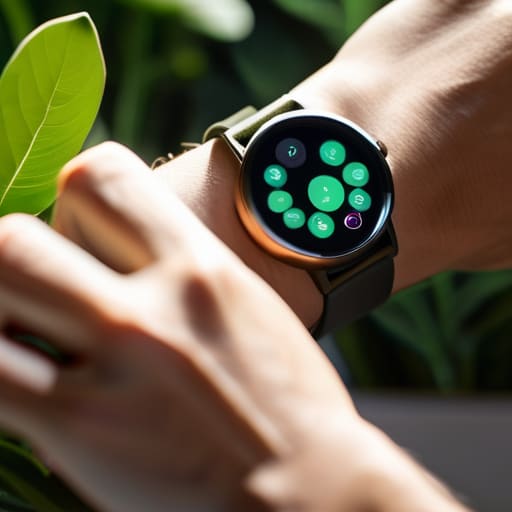
    I was sitting in my workshop last Tuesday, mid-way through stripping the old varnish off a 1962 teak sideboard, when my wrist gave a sharp, insistent buzz. It wasn’t a text or a call; it was my watch telling me my stress levels were spiking. I looked at the piece of wood, then at my wrist, and felt a sudden, irrational flash of annoyance. We’ve been sold this idea that smartwatch health tracking is a revolutionary gateway to wellness, but more often than not, it just feels like having a tiny, judgmental supervisor strapped to my arm. Instead of helping me tune into my body, these gadgets often just add more noise to an already loud digital life.

    I’m not here to tell you which sensor has the highest-rated accuracy or which brand has the sleekest titanium finish. My goal is much simpler: I want to help you figure out how to use this data without letting it hijack your intuition. Over the next few sections, I’ll be sharing my honest, no-nonsense take on what these metrics actually mean for your daily life and how to tell the difference between genuine insight and mere digital distraction.

    Table of Contents

    Questioning Wearable Health Sensor Accuracy

    Questioning wearable health sensor accuracy photograph.

    Here is the section:

    I spent last Tuesday afternoon cross-referencing my Apple Watch’s data with a medical-grade chest strap, and the discrepancy was enough to make me want to toss the whole thing into a junk drawer. We’ve been sold this idea that wearable health sensor accuracy is a solved problem, but the reality is much messier. When you’re looking at something as sensitive as real-time heart rate monitoring, a slight shift in how the band sits on your wrist can swing the numbers wildly. It’s easy to get caught up in the dopamine hit of a “perfect” reading, but we have to ask ourselves: are we actually getting better data, or just more convincing fiction?

    The danger isn’t just in the math; it’s in the anxiety these gadgets can trigger. I’ve seen friends spiral because their sleep cycle analysis technology suggested they had a “poor” night, even when they woke up feeling refreshed. When we outsource our intuition to an algorithm, we stop listening to our own bodies. We shouldn’t be treating these devices as absolute truth, but rather as imperfect snapshots that require a healthy dose of skepticism.

    Beyond Real Time Heart Rate Monitoring

    Beyond Real Time Heart Rate Monitoring technology.

    We’ve moved far beyond the novelty of just seeing our pulse jump during a morning jog. Today’s devices are aggressively pushing into more complex territory, like sleep cycle analysis technology and even blood oxygen saturation tracking. On paper, the promise is incredible: a holistic, 24/7 dashboard of our biological existence. We’re being sold the idea that if we can just quantify every breath and every REM cycle, we can finally “solve” our health.

    But here is where my skepticism kicks in. There is a massive psychological difference between knowing your heart rate is elevated and actually understanding why. When we lean too heavily on these personalized wellness metrics, we risk outsourcing our intuition to an algorithm. I’ve sat in countless HR workshops discussing burnout, and I can tell you: no piece of silicon can replace the somatic signal of being overwhelmed. We have to be careful that in our quest to track every physiological nuance, we don’t lose the ability to simply feel our way through life.

    How to Use the Data Without Letting It Use You

    • Treat your metrics as suggestions, not commands. If your watch says you had a poor night’s sleep but you wake up feeling refreshed and ready to tackle the day, trust your body over the algorithm.
    • Look for patterns rather than chasing daily perfection. A single day of low activity or a spike in resting heart rate isn’t a crisis; it’s just a data point. The real value is in seeing how your lifestyle affects your trends over months, not hours.
    • Set boundaries with your notifications. There is no reason for a piece of jewelry to buzz on your wrist every time you hit a step milestone or a minor breathing goal. Turn off the constant “nudging” so you can actually focus on the activity itself.
    • Use the data to spark curiosity, not anxiety. Instead of spiraling when a metric looks “off,” use it as a prompt to ask yourself a practical question: “Did I drink enough water today?” or “Am I carrying too much tension in my shoulders?”
    • Remember that the watch is a tool, not a doctor. It can track movement and rhythm, but it cannot understand context. Use the tech to augment your self-awareness, but never let it replace a professional medical opinion or your own intuition.

    Striking a Balance Between Data and Intuition

    Treat your smartwatch as a conversational partner, not an absolute authority; use the data to spark curiosity about your health, but never let a digital readout override what your own body is telling you.

    Avoid the trap of “optimization anxiety” by recognizing that constant monitoring can sometimes create more stress than the actual health insights are worth.

    Focus on long-term patterns rather than chasing momentary fluctuations, because true wellness is built on consistent habits, not a single perfect heart rate reading.

    The Data Delusion

    We’ve traded our intuition for a series of glowing graphs, forgetting that a heart rate reading on a wristband is just a data point—it isn’t the same thing as actually feeling alive.

    Yvette Marchetti

    Finding the Balance

    Finding the Balance with smartwatch data.

    At the end of the day, we have to stop treating these gadgets like infallible medical oracles. We’ve talked about the gaps in sensor accuracy and the way constant notifications can turn a wellness tool into a source of unnecessary anxiety. A smartwatch is a piece of hardware, not a replacement for your own biological intuition. If we spend all our mental energy chasing a specific number on a screen—whether it’s a sleep score or a heart rate variability reading—we end up outsourcing our self-awareness to an algorithm. We need to view this data as a suggestive baseline, rather than an absolute truth that dictates how we should feel every single morning.

    My hope is that we can move toward a more intentional relationship with our tech. Let’s use these devices to spot patterns and catch things we might otherwise miss, but let’s never let them drown out the quiet, steady voice of our own bodies. Real health isn’t found in a perfectly optimized data set; it’s found in the ability to live a life that feels meaningful and sustainable. Technology should be the wind at our backs, not the driver of the car. Use the data to inform you, but trust yourself to make the final call.

    Frequently Asked Questions

    How do I know when a notification from my watch is a genuine health warning versus just a glitch in the sensor?

    Look, I’ve learned the hard way that a sudden spike in your heart rate might just be a loose strap or you reaching for a heavy coffee mug. If a notification feels off, don’t panic—check your context. Are you actually feeling breathless or dizzy? If your body feels fine but the watch is screaming, it’s likely a sensor glitch. Trust your physical intuition over the haptic buzz; if the math doesn’t match your reality, ignore the gadget.

    Is the constant stream of data actually helping me make better lifestyle choices, or is it just fueling more anxiety?

    It’s a fine line between insight and obsession. For some, seeing a dip in sleep quality is the nudge they need to put the phone away. But for many, it’s just another source of “data anxiety”—a relentless digital coach that makes you feel like you’re failing a test you never signed up for. If your metrics are making you more self-aware, use them. If they’re just making you more stressed, turn the notifications off.

    At what point does tracking my metrics stop being a tool for wellness and start becoming a digital obsession?

    It crosses the line the moment you stop listening to your body and start listening to the dashboard. If you find yourself feeling “unwell” simply because your ring says your recovery score is low—despite feeling perfectly fine—you’ve handed the reins to an algorithm. When the data starts dictating your mood or causing anxiety rather than providing clarity, it’s no longer a tool. It’s a digital leash.

  • Transitioning From Physical Books to E-readers

    Transitioning From Physical Books to E-readers

    I was sitting in my favorite armchair last Sunday, surrounded by a stack of half-finished hardcovers that had begun to feel more like a to-do list than a collection of stories. My living room was cluttered, my eyes were straining under the lamp, and I felt that familiar, nagging guilt of a reader who has more books than actual time. We’re constantly told that the latest gadgets are designed to “disrupt” our lives, but most tech hype feels like it’s just adding more noise to an already loud world. I didn’t need a device that demanded my constant attention; I needed a way to reclaim my focus. That’s when I started looking past the marketing fluff to see if the actual e-reader benefits were worth the digital footprint.

    I’m not here to sell you on a lifestyle of mindless scrolling or to convince you that paper is obsolete. Instead, I want to share a pragmatic look at how these devices can actually serve us, rather than the other way around. I’ll be breaking down how to use this technology to protect your quiet moments and manage your reading without letting a screen hijack your brain. This isn’t about the hype; it’s about intentionality.

    Table of Contents

    Choosing Calm Digital Reading vs Print Books

    Choosing Calm Digital Reading vs Print Books

    Choosing Calm: Digital reading vs print books

    I spent my Sunday morning surrounded by half-finished sanding projects and a stack of paperbacks that seemed to be slowly colonizing my living room. There is a tactile comfort in a physical book—the weight of it, the scent of the paper—that no piece of hardware can truly replicate. However, I’ve noticed that my relationship with paper has changed. As my bookshelves overflow, I find myself craving more space-saving reading solutions that don’t require me to rearrange my entire home office just to make room for a new biography.

    This is where the debate of digital reading vs print books gets personal for me. I used to worry that switching to a device would mean constant eye strain and e-readers becoming just another source of digital fatigue. But thanks to e-ink display technology, the experience feels remarkably different from scrolling through a smartphone or a tablet. It mimics the stillness of paper rather than the frantic glow of a screen. It’s not about replacing the soul of a book; it’s about finding a way to protect my focus without letting the physical clutter dictate my environment.

    Protecting Vision Addressing Eye Strain and E Readers

    Protecting Vision Addressing Eye Strain and E Readers

    I remember the first time I tried to read a novel on a standard tablet late at night. By chapter three, my eyes felt like they were being scraped with sandpaper. It was a harsh reminder that our biology wasn’t exactly designed for the constant blue-light bombardment of modern screens. This is where the distinction between a tablet and a dedicated device becomes vital.

    The real magic lies in e-ink display technology. Unlike a smartphone that projects light directly into your retinas, e-ink mimics the way ink sits on paper, reflecting ambient light instead. It’s a subtle but profound difference that fundamentally changes the experience of eye strain and e-readers. When I’m winding down after a long day of staring at spreadsheets, I need a medium that respects my physical limits rather than fighting them.

    Beyond just the visual comfort, I’ve found that the ability to adjust font sizes and contrast serves as a massive win for long-term usability. These accessibility features for readers mean that the device adapts to your changing needs, rather than forcing you to squint and strain against a static layout. It’s one of those rare instances where the tech actually works to support our natural human rhythms.

    Making the Tech Work for You, Not the Other Way Around

    • Lean into the “Do Not Disturb” lifestyle. One of the best things about an e-reader is that it isn’t a smartphone; it doesn’t ping you with work emails or social media notifications. Use that isolation to actually finish a chapter without being interrupted by the digital noise.
    • Customize your font to suit your mood. I’ve found that when my eyes are tired after a long day of staring at spreadsheets, bumping up the text size and switching to a heavier weight makes a world of difference. Don’t struggle through small print just because that’s how the book was originally laid out.
    • Use the built-in lighting, but do it mindfully. Most of these devices have adjustable warmth settings. If you’re reading in bed, dial the warmth up. It mimics that soft, amber glow of a reading lamp and keeps your brain from thinking it’s midday, which helps you actually wind down.
    • Embrace the dictionary feature without the friction. I used to keep a physical dictionary nearby, which felt clunky. Now, I just tap a word. It keeps the flow of the story alive instead of breaking my concentration to go hunt for a definition.
    • Keep your library organized, but don’t obsess. The benefit of having a thousand books in your pocket is the freedom to pivot. If a heavy non-fiction book isn’t clicking, swap it for a light novel in seconds. Technology should give you the permission to follow your curiosity, not force you to finish a slog.

    Finding Your Own Rhythm

    Finding Your Own Rhythm with e-readers.

    Don’t let the tech decide for you; use e-readers for convenience and travel, but keep your physical books for the moments when you need to truly unplug.

    Prioritize your physical well-being by using e-ink technology and proper lighting to ensure your digital reading habit doesn’t come at the cost of your eyesight.

    Treat your reading time as a sanctuary, using the tools that best protect your focus and help you reclaim quiet space in an increasingly loud world.

    The Freedom of a Lighter Load

    “An e-reader shouldn’t be another device competing for your attention; it should be the tool that finally lets you carry an entire library without the physical weight, allowing you to reclaim those quiet, stolen moments of reading anywhere life takes you.”

    Yvette Marchetti

    Finding Your Own Rhythm

    At the end of the day, an e-reader isn’t a replacement for the soul of a physical library, but rather a tool to help us maintain our connection to reading in a world that is constantly trying to pull us toward something louder and more distracting. We’ve looked at how they can ease the physical strain on our eyes and how they offer a quiet, portable sanctuary compared to the clutter of traditional paperbacks. Whether you’re using one to squeeze in a few chapters during a hectic commute or to wind down before bed without the blue-light headache, the goal is the same: minimizing the friction between you and the stories you love. It’s about choosing the medium that serves your life, rather than letting the device dictate your habits.

    My advice? Don’t get caught up in the tech hype or the debate over which format is “superior.” Technology should be a bridge, not a barrier. If a digital device allows you to reclaim a moment of stillness in a chaotic schedule, then it has done its job well. We need to be the ones in the driver’s seat, deciding when to plug in and when to pull back. Ultimately, real progress isn’t about having the most gadgets; it’s about protecting your capacity to focus and finding the space to simply exist within a good book.

    Frequently Asked Questions

    How do I balance the convenience of a digital library with the tactile satisfaction of owning physical books?

    I’ve settled on a “hybrid shelf” approach. I use my e-reader for the heavy lifting—commutes, travel, or those late nights when I don’t want a bulky hardcover weighing down the bedsheets. But for the books that actually shift my perspective? I buy them in print. There’s a specific kind of permanence in a physical spine on a shelf that a digital file just can’t mimic. Use tech for utility, but keep the physical for the soul.

    Are there specific e-reader models that actually feel less "techy" and more like a dedicated reading tool?

    If you’re looking to escape the “gadget” feel, steer clear of anything with a bright, glossy touchscreen that mimics an iPad. I tend to gravitate toward the Kindle Paperwhite or the Kobo Libra because they prioritize E Ink—that matte, paper-like texture that doesn’t scream “digital device.” They feel less like a portal to distractions and more like a quiet, dedicated tool. It’s about finding something that disappears in your hands.

    Can an e-reader actually help me reduce my overall screen time, or is it just another device competing for my attention?

    It’s a valid fear. If you’re jumping from a Kindle straight into an Instagram scroll, you haven’t escaped the noise; you’ve just changed the vessel. But for me, the difference is intentionality. An e-reader is a single-purpose tool. It doesn’t ping with emails or demand likes. When I pick it up, I’m making a conscious choice to read, not to “consume content.” It’s about creating a digital boundary that protects your focus.

  • The Impact of Taking a Social Media Detox

    The Impact of Taking a Social Media Detox

    I was sitting at my dining table last Tuesday, mid-way through stripping the old, cracked varnish off a 1962 teak sideboard, when I realized I hadn’t actually looked at the wood in twenty minutes. Instead, I had been reflexively checking my phone every time a notification pinged, a mindless twitch that felt more like a nervous tic than a choice. We’ve been sold this idea that a social media detox has to be some grand, monastic retreat—a week in a silent cabin with no electricity and nothing but your thoughts. Honestly? That’s just more noise. It’s a performative, expensive solution to a problem that is actually much more quietly invasive and much more personal than that.

    I’m not here to sell you on a lifestyle brand or a curated “digital minimalism” aesthetic that requires a new set of expensive gadgets. What I want to do is share what actually works when you’re trying to balance a career, a home, and a brain that feels like it has too many tabs open. I’m going to give you the unfiltered reality of how to reclaim your attention without throwing your smartphone into the nearest river. This isn’t about perfection; it’s about reclaiming your agency in a world designed to keep you scrolling.

    Table of Contents

    The Quiet Toll Understanding the Impact of Social Media on Anxiety

    The Quiet Toll Understanding the Impact of Social Media on Anxiety

    I remember sitting at my desk last Tuesday, staring at a spreadsheet, while my phone buzzed incessantly with notifications. It wasn’t even important stuff—just a mindless stream of curated perfection and outrage—but I could feel my chest tightening. That’s the thing about the impact of social media on anxiety; it isn’t always a sudden crash. Instead, it’s a slow, corrosive drip. We’ve been conditioned to believe that staying “connected” is a requirement for participation in modern life, but for many of us, it has become a source of constant, low-grade dread.

    We often mistake this frantic mental state for being productive or “informed,” but it’s really just a precursor to digital burnout symptoms. We are constantly comparing our messy, unedited behind-the-scenes lives to everyone else’s highlight reels. It creates this invisible pressure to perform, to react, and to stay updated at all costs. If you find yourself feeling perpetually restless or unable to settle into a single task, you aren’t failing; you’re likely just suffering from a nervous system that has been overstimulated by design.

    Breaking the Loop Why We Need a Real Social Media Detox

    Breaking the Loop Why We Need a Real Social Media Detox

    We’ve become conditioned to believe that being “connected” is a prerequisite for being relevant. But there is a massive difference between staying informed and being perpetually hijacked by an algorithm designed to keep you scrolling. When we talk about a real break from the noise, we aren’t just talking about deleting an app for a weekend; we are talking about reclaiming focus and attention from platforms that view our concentration as a commodity to be sold. I’ve seen it in my own life and in the clients I consult for: the constant, low-grade hum of digital exhaustion isn’t just a phase; it’s a systemic drain on our cognitive resources.

    If you find yourself reaching for your phone the second a moment of silence occurs, you’re already stuck in the loop. Breaking it requires more than just willpower; it requires setting healthy digital boundaries that treat your time as a finite, precious resource. We need to stop treating these platforms like tools and start seeing them for what they often are: distractions masquerading as connection. True recovery happens when we stop reacting to every notification and start deciding where our energy actually belongs.

    Practical Ways to Reclaim Your Real Life

    • Audit your feed with a ruthless eye. If an account makes you feel inadequate, envious, or just plain exhausted, hit unfollow. Your digital environment should be a source of insight, not a constant comparison trap.
    • Establish “no-phone zones” in your home. I started by keeping my phone out of the bedroom and away from the dining table. It sounds small, but it forces you to actually inhabit the physical space you’re in.
    • Replace the scroll with something tactile. When I feel that phantom itch to check my notifications, I reach for my paper planner or spend twenty minutes working on a piece of furniture. You need a physical outlet to ground your attention.
    • Turn off every non-human notification. If it’s not a direct message from a real person, you probably don’t need a buzz in your pocket telling you about a sale or a trending hashtag. Reclaim your right to choose when you engage.
    • Schedule “analog hours” every single day. Pick a window—even if it’s just an hour after work—where the devices go in a drawer. Learn to sit with the silence; that’s where your actual thoughts live.

    Moving Beyond the Scroll: Three Ways to Reclaim Your Space

    Stop treating your attention like an infinite resource; set hard boundaries with your devices before they decide how your day is spent.

    Seek out “analog friction”—the kind of real-world, slow-paced activities, like my woodworking projects, that force you to be present and unbuffered by a screen.

    Audit your digital circle with the same scrutiny you’d use in a professional setting; if an account adds noise instead of value, it’s time to hit unfollow.

    The Cost of Constant Connection

    We’ve traded the quiet richness of our own thoughts for a relentless stream of other people’s highlights, and we’re calling it ‘connection’ to avoid admitting we’ve lost our ability to just be alone.

    Yvette Marchetti

    Reclaiming the Driver's Seat

    Reclaiming the Driver's Seat through digital detox.

    At the end of the day, a social media detox isn’t about being a Luddite or pretending the internet doesn’t exist; it’s about recognizing that the constant stream of curated perfection and outrage is exhausting our collective nervous system. We’ve talked about the anxiety that creeps in when we’re doomscrolling and the sheer mental fatigue of trying to keep up with a loop that never actually ends. If we don’t intentionally step back to break those cycles, we aren’t just losing time—we are losing our ability to focus, to feel, and to exist without the need for external validation. It is time to stop treating our attention like a commodity for sale and start treating it like the finite, precious resource it actually is.

    I want you to try something this week: put the phone in another room and just be still for a moment. Notice how uncomfortable it feels at first, and then notice how that discomfort eventually gives way to a strange, quiet clarity. Real life doesn’t happen in a feed; it happens in the gaps between the notifications, in the tactile reality of the world around you, and in the moments when you aren’t performing for an invisible audience. Reclaim your headspace, because your humanity is not a trend to be optimized, and you deserve a life that feels real, even when nobody is watching.

    Frequently Asked Questions

    How do I actually manage my work responsibilities if my job requires me to be online and reachable?

    This is the million-dollar question, isn’t it? You can’t exactly ghost your boss. The trick isn’t total disappearance; it’s setting boundaries that actually stick. I’ve found that “batching” works best. Instead of reacting to every ping, schedule specific windows to check Slack or email. Communicate these blocks to your team so they know when you’re “on” and when you’re deep-working. Control the tool; don’t let the tool control your availability.

    Is there a way to stay connected with friends without falling back into the endless scroll?

    The trick is to stop using social media as a substitute for connection. It’s a hollow imitation. If you actually miss someone, call them. Send a voice note. Or, if you’re feeling old-school like me, grab a coffee. Use the apps for what they were meant to be—logistics and quick check-ins—rather than letting them become a window into a curated, exhausting reality. Real intimacy happens in the gaps between the notifications.

    How do I stop the reflexive urge to check my phone the second I feel a moment of boredom?

    That reflexive twitch is a learned response, a digital phantom limb. We’ve trained our brains to treat boredom as a crisis that needs immediate fixing. To break it, you have to embrace the discomfort. Start small: leave your phone in another room for just ten minutes when you’re waiting for coffee. Relearn how to sit with your own thoughts without a screen acting as a buffer. It’s awkward at first, but that’s where the clarity lives.

  • Basic Troubleshooting for Common Tech Issues

    Basic Troubleshooting for Common Tech Issues

    I was halfway through stripping a stubborn layer of varnish off a 1950s teak sideboard last Tuesday when my laptop decided to stage a full-scale revolt. The screen froze, the fan started screaming like a jet engine, and suddenly, my entire afternoon was hijacked by a digital meltdown. We’ve been sold this lie that tech troubleshooting requires a degree in computer science or a subscription to some overpriced “optimization” service that promises to fix everything with one click. It’s infuriating. Most of the time, these gadgets aren’t broken; they’re just cluttered, drowning in a sea of background processes and unnecessary updates that serve no one but the manufacturers.

    I’m not here to give you a manual filled with jargon that makes your head spin. Instead, I want to offer a bit of grounded, common-sense guidance on how to reclaim your time. I’ll be sharing my own no-nonsense approach to resolving these glitches without losing your sanity or your wallet. We’re going to look at how to cut through the digital noise and solve problems using logic rather than luck. My goal is to help you master the machine, so it stops dictating your schedule and starts working for you again.

    Table of Contents

    Navigating Common Computer Errors and Solutions With Intent

    When a window pops up with a cryptic error code, the instinct is to panic or, worse, to immediately start clicking every “fix” the internet suggests. I’ve seen enough corporate chaos to know that frantic clicking usually just creates more noise. Instead of letting a frozen screen dictate your mood, I find it helpful to treat these moments as a prompt to slow down. Most common computer errors and solutions aren’t actually about the machine failing you; they’re about a breakdown in the delicate balance between software and hardware.

    I usually start by stripping away the complexity. If you’re dealing with something like a sudden slowdown, don’t jump straight to a factory reset. Often, a bit of operating system optimization—the digital equivalent of tidying up a cluttered desk—is enough to clear the fog. If the problem is more physical, like a device that won’t wake up, you might be looking at resolving hardware malfunctions rather than a software glitch. The goal isn’t just to get the machine running again; it’s to understand the why behind the break so you can regain a sense of agency over your tools.

    Troubleshooting Connectivity Issues Without Losing Your Calm

    Troubleshooting Connectivity Issues Without Losing Your Calm

    There is a specific kind of low-grade panic that sets in when you’re mid-email and the little Wi-Fi icon decides to vanish. It’s not just the loss of data; it’s the sudden, jarring feeling of being disconnected from the world. When I’m troubleshooting connectivity issues, my first instinct—honed by years of corporate deadlines—is to click everything faster. But that’s exactly when we lose our footing. Instead of spiraling, I’ve learned to treat a dropped signal like a broken chair leg: you don’t scream at it; you step back, assess the joint, and see if it’s a loose connection or something deeper.

    Start with the basics before you dive into complex diagnostic tools for electronics. Often, a simple router reset or toggling your airplane mode is enough to clear the digital cobwebs. If that fails, don’t immediately assume your hardware is dying. Sometimes, it’s just a matter of reclaiming your focus by stepping away from the screen for five minutes. If you approach the problem with a sense of curiosity rather than frustration, you’ll find that most glitches are just temporary hiccups in an otherwise functional system.

    Five Ways to Reclaim Your Sanity When the Tech Fights Back

    • Step away from the screen before you break something. I’ve learned the hard way that staring at a spinning loading icon for twenty minutes doesn’t actually make it load faster; it just raises your blood pressure. Walk to the kitchen, make a coffee, and come back when you can approach the problem with a clear head rather than a clenched jaw.
    • Embrace the “unplug and replug” ritual without shame. It sounds like a cliché because it works. Most of our modern gadgets are just overwhelmed by too many processes running at once. Giving a device a hard reset is like giving yourself a much-needed nap—it clears the clutter and lets things start fresh.
    • Check the physical basics before you dive into complex software settings. I once spent an hour troubleshooting a “dead” laptop only to realize the charging cable had wiggled loose from the outlet. In our digital age, we forget that these machines still rely on physical connections, wires, and actual electricity.
    • Use the “Search, Don’t Guess” method. Instead of clicking every random menu option in a desperate attempt to find a fix, take a breath and type the specific error code into a search engine. Someone else has already felt this exact frustration and likely found a solution; let their experience save you from your own trial and error.
    • Know when to call in a professional and stop the DIY madness. There is a fine line between being tech-savvy and being reckless. If a hardware issue feels like it’s going to cost you more in stress—or permanent damage—than it would to pay a specialist, walk away. Your peace of mind is worth more than the pride of fixing a motherboard yourself.

    Keeping the Machine in Its Place

    Treat tech glitches as minor interruptions rather than personal failures; a spinning loading icon shouldn’t be allowed to hijack your mental state.

    Always start with the simplest, most analog solution first—sometimes a hard restart or a physical cable check is more effective than digging through endless, noisy forums.

    Build a toolkit of reliable, manual workarounds so that when the digital connection inevitably falters, your actual productivity and peace of mind don’t go down with it.

    The Philosophy of the Glitch

    “A broken device isn’t just a technical failure; it’s a sudden, jarring interruption to our rhythm. When we troubleshoot, we shouldn’t just be hunting for a fix—we should be reclaiming our time from the machines that are supposed to be serving us, not the other way around.”

    Yvette Marchetti

    Finding Your Center in a Digital World

    Finding Your Center in a Digital World

    At the end of the day, troubleshooting isn’t just about checking your router settings or clearing a cache; it’s about managing your own reaction to the friction. We’ve looked at how to tackle those frustrating computer errors and how to steady your nerves when the Wi-Fi decides to quit right in the middle of something important. The goal isn’t to become a master technician, but to develop a methodical approach that prevents a minor glitch from spiraling into a total afternoon meltdown. By approaching these hurdles with a bit of patience and a clear set of steps, you ensure that the tools meant to serve you don’t end up dictating your emotional state.

    As I sit here at my desk, glancing between my digital notifications and my trusty paper planner, I’m reminded that technology is ultimately just a tool—no more, no less. It is a means to an end, not the end itself. Don’t let a spinning loading icon or a sudden error message make you feel like you’ve lost control of your environment. Take a breath, step away from the screen for a moment if you have to, and remember that you are the pilot here. Real mastery over our tech comes when we learn to fix the problem without losing our sense of peace in the process.

    Frequently Asked Questions

    How do I know when a technical glitch is actually a sign that I need to step away from the screen for my own mental health?

    Listen, there’s a difference between a software bug and a personal burnout signal. If you find yourself staring at a spinning loading icon with a growing sense of genuine rage—or if you’re clicking “refresh” with a frantic, heavy chest—that’s not a tech issue. That’s your nervous system telling you the digital noise has become too loud. When the friction of a glitch starts feeling like a personal affront, close the laptop. The machine can wait; your peace of mind can’t.

    Is there a way to troubleshoot my devices without feeling like I'm falling behind on my actual work?

    The short answer is yes, but it requires a hard boundary. When a device misbehaves, we tend to let the frantic “fix-it” loop hijack our entire cognitive load. I’ve learned to treat troubleshooting like a scheduled maintenance task rather than an emergency. Set a timer for twenty minutes. If you haven’t solved it by then, step away. Don’t let a spinning loading icon rob you of your actual productivity and peace of mind.

    At what point does "fixing it myself" stop being productive and start becoming a drain on my time and energy?

    There’s a fine line between being resourceful and being a hostage to a glitch. I call it the “Sunk Cost Trap.” If you’ve spent two hours staring at a progress bar or scouring forums only to feel your blood pressure rising, you’ve crossed the line. When the troubleshooting stops being a puzzle and starts stealing your peace, it’s time to outsource. Call the pro or hit the reset button. Your time is worth more than a broken circuit.

  • Developing Healthy Online Security Habits

    Developing Healthy Online Security Habits

    I was sitting at my workbench last weekend, mid-way through stripping a stubborn layer of varnish off a 1958 teak sideboard, when my phone started screaming with “critical security alerts.” It was one of those frantic, neon-red notifications from a password manager claiming my entire digital life was under siege. Honestly? It felt less like protection and more like digital extortion. We’ve been sold this idea that staying safe requires a complex, high-stress ritual of juggling dozens of expensive apps and hyper-technical jargon. But most of the advice regarding online security habits these days feels designed to make you feel helpless, forcing you to rely on even more tech to solve the problems the tech created in the first place.

    I’m not here to sell you on a new subscription or a complicated encryption protocol that requires a PhD to navigate. Instead, I want to talk about reclaiming your agency. I’m going to share a few practical, grounded approaches to building online security habits that actually fit into a human life, rather than a life lived entirely inside a screen. My goal is to help you lock your digital doors without turning your home into a high-security prison.

    Table of Contents

    Mastering Password Management Tools for Digital Freedom

    Mastering Password Management Tools for Digital Freedom

    I’ll be honest: the last time I tried to keep track of my logins, it was a physical notebook tucked into my desk drawer. Today, that’s a recipe for disaster. We’ve reached a point where our digital lives are too fragmented to manage with sheer willpower. This is where password management tools actually become a tool for liberation rather than just another subscription to manage. Instead of spending your Sunday afternoon resetting forgotten credentials, a decent manager acts as a vault, allowing you to stop memorizing strings of gibberish and start focusing on actual work.

    However, there’s a catch. Using a manager isn’t a “set it and forget it” solution that grants you total immunity. You still have to be the gatekeeper. I’ve seen too many people assume that because they use a vault, they can ignore basic cybersecurity best practices like enabling multi-factor authentication. A tool is only as strong as the human operating it. Think of it like restoring an old teak sideboard; the right finish helps, but you still have to do the actual sanding to get a smooth result.

    Protecting Personal Data Online From Unwanted Noise

    Protecting Personal Data Online From Unwanted Noise

    We’ve reached a point where our personal information is treated like raw material for some massive, invisible machine. Every time you click “accept all cookies” just to get a pop-up out of your face, you’re handing over a little more of your autonomy to an algorithm. I call this the “digital clutter” of our lives—the constant, unnecessary leakage of who we are. Effective digital footprint management isn’t about disappearing entirely; it’s about being intentional. It’s about deciding which parts of your life are for public consumption and which parts belong strictly to you.

    I often tell my consulting clients that true security isn’t just about high-tech firewalls; it’s about reclaiming your boundaries. This means practicing basic secure browsing techniques, like using privacy-focused engines and being ruthlessly selective about the permissions you grant to mobile apps. We need to stop treating our data as an infinite resource for tech companies to harvest. Instead, treat it like the vintage teak I work on in my garage: once it’s stripped and damaged, it’s incredibly hard to get that original luster back. Protect your privacy like it’s your most valuable asset.

    Small Rituals to Reclaim Your Digital Boundaries

    • Treat Multi-Factor Authentication like your front door lock; it’s a minor inconvenience to turn the key, but you wouldn’t dream of leaving your house wide open to anyone walking by.
    • Audit your app permissions every few months—if a simple flashlight app is asking for access to your contacts and location, it’s not a tool, it’s a spy.
    • Stop the data bleed by opting out of “personalized” tracking; just because an algorithm thinks it knows your next purchase doesn’t mean you should let it follow you around the web.
    • Learn to recognize the frantic energy of phishing attempts; if an email creates a sense of artificial urgency or fear, step away from the keyboard and breathe before you click.
    • Create a “digital sunset” for your sensitive tasks; don’t handle banking or deep security updates when you’re exhausted and distracted, because that’s exactly when human error slips in.

    Cutting Through the Digital Noise: My Final Thoughts

    Treat your digital security as a tool for autonomy, not a chore; the goal isn’t to become a tech expert, but to build a perimeter that lets you live your life without constant anxiety.

    Don’t fall for the “set it and forget it” trap with new security apps—technology is a moving target, and true safety requires a bit of human skepticism and regular check-ins.

    Prioritize simplicity over complexity; if a security habit is so cumbersome that it disrupts your actual life, you won’t stick to it, and a broken system is no protection at all.

    The Human Cost of Constant Vigilance

    We need to stop viewing cybersecurity as a series of technical chores and start seeing it as a way to reclaim our boundaries; true digital safety isn’t about building higher walls, it’s about ensuring the technology we use serves us without demanding our constant, anxious attention.

    Yvette Marchetti

    Reclaiming Your Digital Peace

    Reclaiming Your Digital Peace through security.

    At the end of the day, securing your digital life isn’t about becoming a paranoid tech hermit or mastering every complex encryption layer available on the market. It’s about the fundamentals we’ve discussed: using password managers to offload the mental clutter, tightening your data privacy settings to drown out the unnecessary noise, and being intentional about what you share with the void. We’ve looked at how these habits serve as a buffer between your private reality and the relentless data harvesting of the modern web. By setting these boundaries, you aren’t just protecting your passwords; you are protecting your time and your mental bandwidth from being hijacked by bad actors and intrusive algorithms.

    As you move forward, try not to view these security measures as another set of digital chores on an already overflowing to-do list. Instead, look at them as a way to build a fortress around your autonomy. Technology should be a tool that serves you, not a system that demands your constant, anxious vigilance. When we take control of our digital footprint, we stop being passive subjects of the tech industry and start becoming active participants in our own lives. Real security isn’t about perfection; it’s about the freedom to exist online without feeling like you’ve lost yourself in the process.

    Frequently Asked Questions

    How do I balance the need for high-level security with the actual mental energy required to maintain it daily?

    Look, I get it. Security fatigue is real, and if your defense strategy feels like a second full-time job, you’re eventually going to cut corners. The trick isn’t doing more; it’s automating the friction away. Set up your hardware keys, let a manager handle the heavy lifting of passwords, and then—this is the vital part—stop checking for threats every five minutes. Build a system that works in the background so you can actually live your life.

    At what point does using advanced security tools start to feel more like a digital chore than a way to actually protect my privacy?

    It starts the moment you stop feeling secure and start feeling managed. When you’re spending more time troubleshooting two-factor authentication loops and updating complex protocols than you are actually getting work done, the tool has become the master. Security should be the quiet background noise of a well-run life, not a demanding second job. If your “protection” is draining your mental bandwidth, it’s no longer serving your freedom—it’s just adding to the digital clutter.

    Is it possible to stay secure without becoming so hyper-vigilant that I'm constantly anxious about every new notification or link?

    Absolutely. In fact, hyper-vigilance is just another form of digital noise that burns you out. The goal isn’t to treat every click like a minefield; it’s to build a few solid, automated fences so you can actually stop thinking about it. Set up your password manager, turn on MFA, and let the systems do the heavy lifting. Once the foundation is set, you can get back to living your life instead of policing it.

  • Selecting Thoughtful Technology Gifts

    Selecting Thoughtful Technology Gifts

    Every year, around the holidays, I find myself staring at endless scrolling feeds of “must-have” gadgets that feel more like distractions than actual tools. It’s easy to get swept up in the shiny, high-decibel marketing, but most of what we see is just more digital clutter designed to capture our attention rather than respect our time. When I sit down to curate a meaningful tech gift guide, I’m not looking for the newest way to keep someone glued to a screen. I’m looking for the rare pieces of hardware that actually serve a purpose—the kind of tech that helps you reclaim your focus or simplifies a task so you can get back to the real world.

    In this guide, I’ve bypassed the hype to bring you five selections that prioritize utility over novelty. I’ve focused on items that bridge the gap between our digital lives and our need for human-centric stability. You’ll find tools designed to reduce friction, encourage intentionality, and perhaps most importantly, give you a little more breathing room in an increasingly noisy world. Here is my shortlist of tech that actually adds value to your life.

    Table of Contents

    Noise-Canceling Headphones That Actually Work

    Noise-Canceling Headphones That Actually Work.

    We’ve all been there—trying to find a moment of focus in a world that refuses to stop making noise. Whether it’s the hum of a neighbor’s lawnmower or the relentless pinging of Slack notifications, our environments are rarely as quiet as our brains need them to be. I’ve found that a high-quality pair of noise-canceling headphones isn’t just a luxury; it’s a boundary for your mental space.

    An E-Ink Tablet for Mindful Note-Taking

    An E-Ink Tablet for Mindful Note-Taking.

    As someone who still clings to a physical paper planner, I am notoriously skeptical of anything that tries to digitize my handwriting. Most tablets are just distraction machines disguised as productivity tools, pulling you into a rabbit hole of emails and social media. However, an E-Ink tablet is a different breed entirely. It mimics the tactile sensation of pen on paper without the blue light glare that ruins your sleep cycle.

    Smart Lighting for Circadian Rhythm

    Smart Lighting for Circadian Rhythm bulbs.

    Most of us spend far too much time staring at screens under harsh, artificial light that tells our brains it’s high noon even when it’s nearly midnight. This disconnect is one of the many ways technology can inadvertently sabotage our well-being. I’ve been experimenting with smart bulbs that adjust their color temperature throughout the day, and the shift is surprisingly profound.

    High-Quality External Microphones

    Since the world has largely moved to remote work and video calls, the quality of our audio has become a silent driver of professional credibility. There is nothing quite as grating as a colleague’s audio that sounds like they are broadcasting from inside a tin can. A decent external microphone changes the entire dynamic of a digital conversation, making it feel less like a transmission and more like a real human interaction.

    A Minimalist Charging Station

    Nothing disrupts a clean, intentional workspace quite like a tangled web of white plastic cables snaking across your desk. It’s visual clutter that creates a subtle, constant sense of disorder. I’ve always believed that our physical environment dictates our mental clarity, so I have a low tolerance for “cable spaghetti.”

    Finding the Signal in the Noise

    Prioritize utility over novelty; if a gadget doesn’t solve a real problem or save you meaningful time, it’s just more clutter for your desk and your brain.

    Look for tools that respect your boundaries, specifically those that help you disconnect from the digital grind rather than tethering you more tightly to it.

    Invest in quality over quantity, choosing well-made pieces that serve your lifestyle for years instead of chasing the next disposable trend.

    The Philosophy of Gifting in a Digital Age

    When we’re looking for the perfect tech gift, we shouldn’t be searching for the most advanced specs or the loudest brand names; we should be looking for the tools that actually give people their time back. A good piece of technology shouldn’t demand your constant attention—it should quietly work in the background to make your real, analog life a little easier to navigate.

    Yvette Marchetti

    Choosing Intention Over Novelty

    At the end of the day, this list isn’t about amassing a collection of shiny new objects that will inevitably end up in a junk drawer by next summer. Whether it’s a device that helps you reclaim your focus or a tool that streamlines a tedious task, the goal is to find something that offers genuine utility. We’ve looked at gadgets that bridge the gap between our digital obligations and our physical reality, prioritizing things that solve actual problems rather than just creating new ones. If a piece of tech doesn’t help you reclaim a bit of your time or mental energy, it’s probably just more digital noise that you don’t need.

    As we move into another year of rapid innovation, I encourage you to be a bit more skeptical of the hype cycle. Don’t let a marketing campaign dictate your lifestyle or your budget. The most meaningful gifts—the ones that actually stick—are those that respect your boundaries and enhance your ability to be present in the real world. Real progress isn’t found in how many features a device has, but in how much freedom it affords you to step away from the screen. Buy less, choose better, and always make sure the technology is serving you, not the other way around.

    Frequently Asked Questions

    How do I balance giving someone a "cool" gadget with making sure it doesn't just become another piece of digital clutter?

    The trick is to look past the “wow” factor and ask one question: Does this solve a friction point, or just add a new one? Before you buy, consider if the gadget requires a subscription, a constant software update, or a steep learning curve just to perform a basic task. If it doesn’t genuinely simplify their day or bring them a moment of tactile joy, it’s not a gift—it’s just more digital noise to manage.

    Are there any tech gifts that actually help with digital detoxing or setting boundaries with our devices?

    Honestly, the best gifts are often the ones that help us disconnect. I’m a big fan of physical tools that replace digital compulsions—think high-quality analog alarm clocks so your phone stays out of the bedroom, or even a dedicated e-reader that doesn’t ping you with Slack notifications. Anything that creates a “friction point” between you and your screen is worth its weight in gold. We need tools that guard our attention, not more ways to fragment it.

    For those of us trying to move away from constant notifications, what are some tech tools that prioritize focus over engagement?

    I’ve found that the best tools for focus are the ones that act as filters, not funnels. If you’re drowning in pings, try an e-ink device like a Remarkable tablet; it mimics paper and lacks the distracting pull of an iPad. For your phone, look into “dumbphone” apps or physical focus timers. The goal isn’t to go off the grid entirely, but to reclaim the ability to choose when you engage.