
Last weekend, I was in my garage working on a 1962 teak sideboard when my smartphone decided it had finally had enough. It didn’t just slow down; it gave up the ghost entirely, a victim of a battery that had decided its time was up. It’s infuriating how we’ve been conditioned to accept this cycle of planned obsolescence as “progress.” We are constantly being sold the lie that a device is only as good as its latest software update, but I’m tired of the industry treating gadget longevity like it’s some luxury feature rather than a basic standard. We shouldn’t have to treat our electronics like disposable single-use plastics.
I’m not here to give you a list of flashy new products to buy or tell you how to optimize your cloud storage. Instead, I want to talk about how we can actually reclaim some control. I’m going to share what I’ve learned about choosing hardware that actually stands the test of time and, more importantly, how to maintain the tools you already own. My goal is to help you break free from the endless replacement cycle and find a bit of stability in an increasingly disposable digital world.
Table of Contents
- Breaking the Cycle of Planned Obsolescence Impact
- Battery Health Optimization Defying the Disposable Trend
- Practical Ways to Stop the Replacement Cycle
- Making Tech Work for You, Not the Other Way Around
- The High Cost of the Upgrade Cycle
- Reclaiming Our Relationship with Tech
- Frequently Asked Questions
Breaking the Cycle of Planned Obsolescence Impact
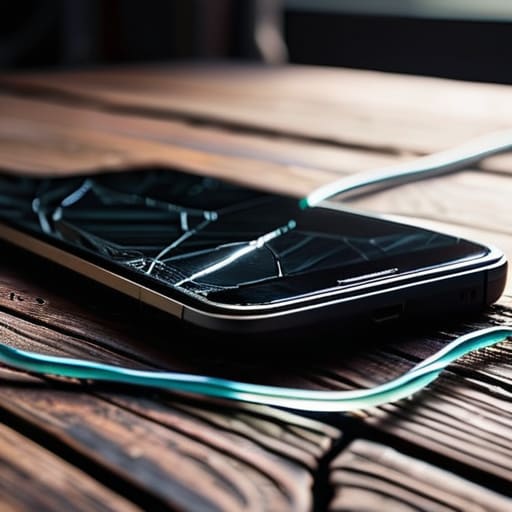
The real sting of planned obsolescence isn’t just the hit to our wallets; it’s the psychological toll of feeling like our tools are constantly betraying us. We’ve been conditioned to expect a slowdown or a sudden, inexplicable glitch right when the next model is announced. This cycle creates a sense of permanent instability in our digital lives. Instead of owning our devices, we’re essentially just leasing them until the manufacturer decides they’ve served their purpose.
To actually break this loop, we have to look toward the right to repair movement as more than just a niche political talking point. It’s a fundamental shift in how we relate to the things we own. When companies design products that are glued shut or use proprietary screws to prevent simple fixes, they aren’t just being “innovative”—they’re being intentionally obstructive. We need to start demanding modular device design where a cracked screen or a dying cell doesn’t turn a perfectly good laptop into a paperweight. If we can’t fix it, we don’t truly own it.
Battery Health Optimization Defying the Disposable Trend
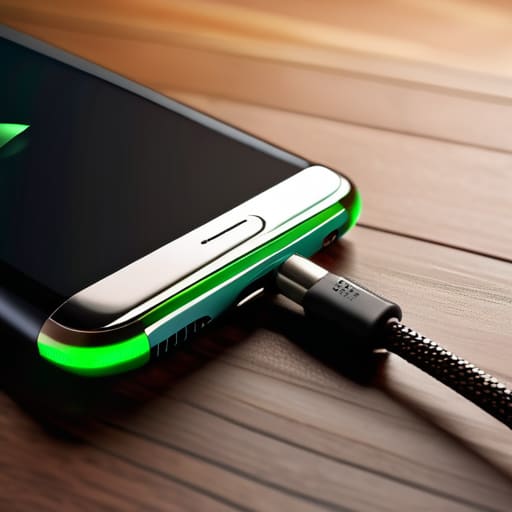
We’ve all been there: that sudden, frantic scramble for a charging cable because your phone decided it’s at 4% by lunchtime. It’s easy to blame the hardware, but more often than not, it’s just poor management of a chemical reality. Most people treat their devices like disposable sticks of gum, but if you actually care about battery health optimization, you have to treat the power cell with a bit more respect. I’ve learned the hard way that letting your device hit zero every single night is a recipe for a premature death sentence.
Instead of letting your tech degrade into a paperweight, try to keep your charge between 20% and 80%. It sounds tedious, I know, but it’s a small price to pay to avoid the landfill. This isn’t just about saving a few bucks; it’s a fundamental part of electronic waste reduction. When we extend the life of our current gear by even a year or two, we’re actively pushing back against the culture of constant upgrading. We need to stop viewing a dying battery as a reason to buy a new phone and start seeing it as a reason to maintain the one we have.
Practical Ways to Stop the Replacement Cycle
- Buy for the long haul, not the hype. When you’re shopping, look past the flashy marketing and check if the manufacturer actually commits to long-term software updates. A device that’s a brick in two years isn’t a tool; it’s e-waste in waiting.
- Master the art of the “soft reset.” We’ve become so quick to assume a glitch requires a new purchase that we forget a simple reboot or a cache clear can often solve the friction. Don’t let a little software lag trick you into thinking your hardware is dying.
- Invest in quality protection. It sounds old-school, but a rugged case and a decent screen protector are the best defenses against the accidental drops that turn a functional device into a paperweight. It’s much cheaper than a repair bill or a total replacement.
- Keep your software lean. As devices age, they struggle with bloat. Periodically audit your apps and delete the ones that are just sucking up background processing power and storage. It keeps the system snappy and prevents unnecessary hardware strain.
- Learn the basics of DIY maintenance. You don’t need to be an engineer, but knowing how to safely clean out dust from charging ports or replace a simple filter can extend a gadget’s life by years. Taking ownership of your tech is the first step toward breaking free from the disposable culture.
Making Tech Work for You, Not the Other Way Around
Stop treating your devices like consumables; treat them like tools. When you shift your mindset from “how long until I replace this?” to “how can I maintain this?”, you reclaim a sense of agency over your own digital life.
Prioritize repairability and modularity over sleekness. A gadget that looks beautiful but is glued shut is just a future piece of e-waste. Look for brands that actually respect your right to fix what you own.
Slow down the upgrade cycle. The most radical thing you can do in a hype-driven economy is to keep using a perfectly functional device for one more year. Real freedom is not being tethered to next year’s model.
The High Cost of the Upgrade Cycle
“We’ve been conditioned to view a slowing processor or a fading battery as a death sentence for our devices, but that’s just a marketing trick. True digital literacy isn’t about knowing how to buy the next version; it’s about knowing how to maintain the one you already own.”
Yvette Marchetti
Reclaiming Our Relationship with Tech

At the end of the day, extending the life of your devices isn’t just about saving a few bucks or being environmentally conscious—though those are massive wins. It’s about resisting the constant, nagging pressure to upgrade just because a marketing department told you to. We’ve looked at how to fight back against planned obsolescence and how simple habits, like managing your battery health, can keep a device running long after it was “supposed” to die. When we stop treating our tools as disposable, we start to see them as actual investments in our daily lives rather than just more clutter in our digital ecosystem.
I think back to the mid-century chairs I restore in my garage; they have character because they were built to endure, not to be tossed in a landfill after three years. We need to bring that same mindset to our pockets and our desks. Technology should serve us, providing stability and utility without demanding constant financial tribute. Let’s make a conscious choice to prioritize durability over novelty. By breaking the cycle of endless replacement, we reclaim our time, our money, and most importantly, our autonomy in an increasingly noisy world.
Frequently Asked Questions
Is it actually worth the extra money to buy "pro" or premium models if the goal is to keep them for five or more years?
Honestly? Yes, but not for the reasons the marketing departments want you to believe. You aren’t paying for the “pro” logo; you’re paying for the overhead. Premium models usually come with better build quality, more efficient processors, and—crucially—longer software support cycles. If you want a device to survive five years without becoming a glorified paperweight, you need that extra hardware headroom. It’s an upfront investment in avoiding the frustration of a slow, dying device.
How do I know if a device is becoming obsolete due to actual hardware failure or if it's just being slowed down by new software updates?
It’s a frustrating line to walk. If your device is crashing or physically overheating, that’s hardware. But if it’s just feeling “sluggish” or stuttering through simple tasks after an update, it’s likely software bloat. I always suggest a factory reset first; it clears the digital cobwebs. If the lag persists even on a clean slate, the new OS is simply outgrowing your processor. It’s not broken, it’s just being outpaced.
When does a gadget move from being a useful tool to a "sunk cost" that's just costing me more in repairs than it's worth?
It’s a slippery slope, but I usually look at the math. If a single repair—say, a cracked screen or a dying logic board—costs more than 50% of what a new, more efficient model would run you, walk away. Beyond the dollars, there’s the “friction factor.” If you’re spending more time troubleshooting a device than actually using it to get things done, it’s no longer a tool; it’s a hobby you didn’t ask for.
