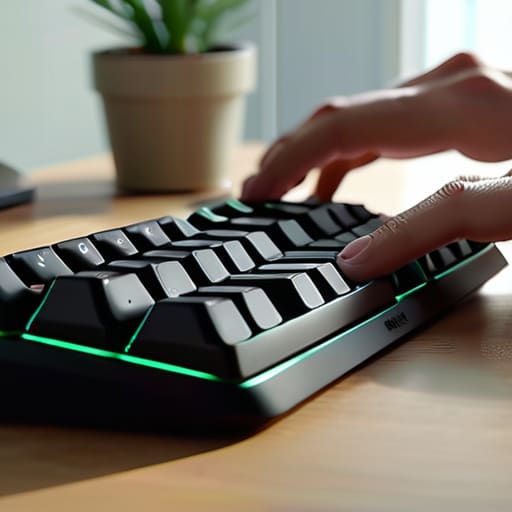
I spent a decade in corporate HR watching people buy $400 “revolutionary” split-keyboards that promised to cure their fatigue, only to watch them struggle to type a simple email because the learning curve was steeper than a mountain climb. We’ve been sold this idea that keyboard ergonomics is a high-tech problem requiring a high-priced, gadget-heavy solution, but most of those shiny new tools are just expensive ways to complicate a very simple human necessity. It’s frustrating to see how much noise the industry makes when, more often than not, the solution isn’t a new piece of hardware, but a fundamental shift in how we respect our own physical boundaries while working.
I’m not here to sell you on the next over-engineered peripheral or a subscription-based posture app. Instead, I want to strip away the marketing fluff and talk about what actually works when you’re sitting in your own chair, trying to get through a Tuesday. I’ll be sharing some practical, no-nonsense adjustments that focus on how your body actually moves, helping you reclaim your comfort without turning your desk into a science experiment.
Table of Contents
Finding Your Neutral Wrist Position Amidst the Digital Noise

We’ve been conditioned to believe that “working hard” means hunching over a laptop until our shoulders touch our ears. But your body wasn’t designed to accommodate a flat, rectangular piece of plastic. When I look at most desk setups, I see a battlefield of tension. To find a true neutral wrist position, you have to stop fighting your anatomy. Your hands shouldn’t be angled upward or twisted outward just to reach the keys; they should feel like a natural extension of your forearms, resting in a straight, relaxed line.
If you feel that familiar, dull ache creeping in by 3:00 PM, you’re likely already compromising. I’ve seen so many people try to “power through” the discomfort, but that’s a fast track to chronic issues. Instead of just buying a fancy gadget, look at your entire ergonomic workstation setup. Sometimes, the fix isn’t a more expensive mouse, but simply adjusting the height of your chair so your elbows sit at a ninety-degree angle. It’s about creating a space that supports your movement rather than one that demands you adapt to its rigid constraints.
The Truth About Preventing Rsi at Work

We’ve been sold this idea that if we just buy the right gadget, the pain will vanish. It’s a lie. I spent years in HR watching people swap one expensive peripheral for another, hoping a new piece of hardware would magically fix a lifestyle of tension. The reality is that preventing RSI at work isn’t about a single purchase; it’s about recognizing the subtle ways your body protests before the actual injury sets in. If you’re waiting for a sharp, stabbing pain to take action, you’ve already missed the window for easy correction.
Instead of chasing the latest marketing hype, look at your actual movement. Sometimes, the solution isn’t more padding, but less constraint. I’ve found that switching to split ergonomic keyboards does more for long-term health than any gel cushion ever could, simply because it stops forcing your shoulders into a permanent shrug. Whether you opt for a specialized mechanical keyboard wrist rest or a complete overhaul of your desk height, the goal remains the same: stop treating your body like a fixed component of a machine and start treating it like a living, breathing system that needs room to breathe.
Small Adjustments to Stop the Slow Grind
- Stop fighting your equipment; if your wrists are constantly angled upward to meet a flat keyboard, get a riser or a split design that actually respects your natural alignment.
- Your elbows shouldn’t be hovering in mid-air like you’re performing a delicate surgery; adjust your chair height so your arms rest at a relaxed, ninety-degree angle.
- Ditch the “power typing” mindset and embrace a lighter touch, because slamming your fingers into the keys might feel productive, but it’s just sending unnecessary shockwaves up your tendons.
- Give yourself permission to step away from the screen; no amount of fancy wrist rests can compensate for the damage caused by sitting in one rigid position for four hours straight.
- Take a hard look at your desk surface—if you’re leaning your forearms against a sharp, hard edge while you type, you’re essentially creating a pressure point that’s begging for inflammation.
Beyond the Gear: Making Ergonomics Work for You
Stop chasing the latest “productivity” gadget; a fancy mechanical keyboard won’t fix a fundamentally broken setup or a refusal to take breaks.
Listen to your body’s subtle warnings—numbness or a dull ache isn’t just “part of the job,” it’s your nervous system telling you that your environment is failing you.
True ergonomic freedom comes from movement, not just perfect posture; no matter how expensive your equipment is, the best position is always the next one.
The Cost of Adaptation
We’ve spent decades trying to train our bodies to fit the rigid shapes of our devices, but a keyboard shouldn’t be a puzzle your wrists have to solve just to get through a workday.
Yvette Marchetti
The Human Element in a Digital World

At the end of the day, optimizing your workspace isn’t about buying the most expensive, glowing mechanical keyboard on the market or following a rigid, algorithmic setup. It’s about listening to the subtle signals your body sends you before they turn into loud, painful protests. We’ve talked about finding that neutral wrist position, understanding the real mechanics of RSI prevention, and refusing to let poorly designed tools dictate your physical comfort. Remember, the goal is to create a setup where your technology serves your biology, rather than forcing your body to adapt to a piece of plastic. Don’t let the pursuit of “peak productivity” become an excuse to ignore your own physical limits.
As I sit here at my desk, looking over my notes in my paper planner, I’m reminded that we are more than just input devices for a digital economy. We are physical beings living in a high-speed, high-friction era. Taking ten minutes to stretch or adjusting your chair height isn’t a distraction from your work; it is an essential act of reclamation. We have to fight to keep our bodies feeling capable and resilient in a world that often treats them as secondary to the screen. Use the tools, master the ergonomics, but never forget that your health is the ultimate foundation of everything you build.
Frequently Asked Questions
Is it actually worth investing in a split keyboard, or is that just another piece of tech hype?
Look, I’ve seen enough “game-changing” gadgets collect dust in my junk drawer to be wary. But a split keyboard isn’t just hype; it’s about physics. Standard boards force your shoulders to hunch and your wrists to twist inward—it’s an unnatural posture we’ve just collectively accepted. If you’re spending eight hours a day typing, investing in a split design is less about a “tech upgrade” and more about refusing to let your desk dictate your anatomy.
How do I know if my wrist pain is a temporary tension issue or something more serious like actual RSI?
Look, I’m a journalist, not a doctor, so if you’re feeling numbness or tingling that stays even after you step away from the desk, go see a professional. Generally, if the ache vanishes after a weekend of rest or a few stretches, it’s likely just tension from a bad setup. But if that sharp, nagging pain starts waking you up at night or persists regardless of your posture, your body is signaling something more permanent. Listen to it.
Can I fix my posture and wrist alignment if I’m stuck working from a laptop at a kitchen table?
Look, I’ve been there—hunched over a laptop at my dining table, feeling like my spine is slowly turning into a question mark. It’s not ideal, but you can mitigate the damage. The biggest culprit is the “laptop hunch.” If you can, prop that laptop up on a stack of heavy books so the screen hits eye level, and grab a cheap external keyboard and mouse. It breaks the physical loop of collapsing inward.
